WHY THE GREP LOOP IS COSTLY FOR AI AGENTS: HOW CODEGRAPH CHANGES THE WAY THEY SEARCH REPOSITORIES
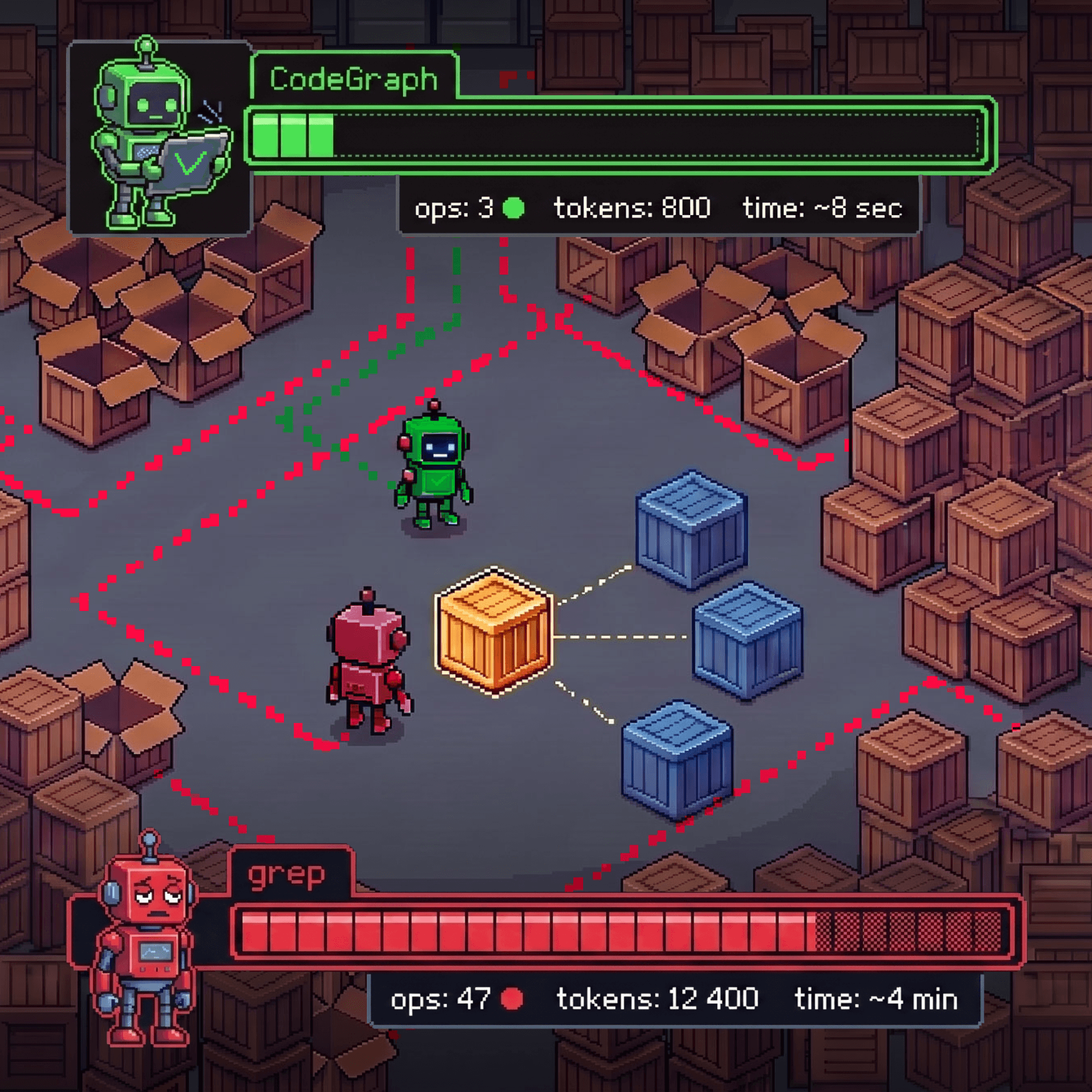
AI coding agents are being adopted to speed up development and reduce development costs. But a significant share of the agent’s execution time and context window can be consumed not on solving the task, but on finding the right files and reconstructing the relationships between them. For a business, this means higher token usage and costs, longer execution times, and more developer time spent waiting for and reviewing the output. CodeGraph helps reduce these overhead: it immediately provides the agent with structurally connected context, reduces unnecessary searches and file reads, and allows it to move on to implementation sooner.

Author:
Dmitrii Vasilev
Category:
articles
Publication date:
Intro
Consider a typical task: you need to change the signature of an HTTP route registration method and understand which parts of the project will be affected by the change.
A developer familiar with the codebase has a rough idea of where the entry point, wrappers, and tests are located. An AI agent starts almost from scratch. First, it searches for the method name, gets dozens of matches, opens several files, notices new functions, and launches another search. It then separately investigates decorators, imports, subclasses, and tests.
Grep or rg itself costs almost nothing: it is a fast and transparent way to find a string. What gets expensive is the iterative loop of “search → read a file → new name → new search → another file.” Each search or file read incurs another tool call, and the returned output usually enters the model’s context. If the matches are irrelevant, the agent spends tokens not only reading them, but also filtering them out and choosing the next step.
CodeGraph proposes changing the initial exploration stage. The tool indexes the project in advance as a graph of program entities: functions, methods, classes, files, routes, and the relationships between them. Instead of a flat list of strings, the agent can first query a small subgraph centered on the relevant symbol, and only then verify key locations using conventional search and source-code reading.
This does not guarantee token savings, nor does it replace grep. The graph does not change the size of the files; it changes the order in which context is retrieved: structurally related candidates first, followed by the source fragments needed to verify them.

Without a structured index, the agent expands its context iteratively; CodeGraph allows it to start with a connected set of candidates, but does not eliminate the need to verify source code and tests.

All commands and changing characteristics in the article were verified on August 2, 2026, against CodeGraph v1.5.0, released on July 21, 2026.
To identify discrepancies, the main branch at commit 49c11fc from August 1 was checked separately. These two states are not mixed below.
Text, Vector, and Graph Search Solve Different Problems
Code search is often reduced to a choice between “conventional search” and “AI search,” although in practice at least three different approaches are useful.
|
Approach |
What question does it answer? |
Where is it especially useful? |
Typical source of errors |
|
Text search |
Where does this string occur? |
Exact names, literals, configuration keys |
Does not distinguish the roles of same-named symbols or show the relationships between them |
|
Vector search |
Where is a similar concept discussed? |
Documentation, comments, different terminology |
Semantic similarity does not imply a call or dependency |
|
Code graph |
Which program entities are connected? |
Call chains, imports, interface implementations, change-scope assessment |
Static analysis may miss dynamic relationships or create a false edge |

The three search approaches answer different questions and complement each other.
CodeGraph belongs to the third category. It should not be described as a vector database or an embeddings-based search system. In v1.5.0, lexical search is implemented using SQLite FTS5, after which the tool traverses structural relationships and ranks query results. The value comes not from vector proximity, but from the syntax tree, resolved symbols, and typed graph edges.
The approaches are not mutually exclusive. Text search remains the best way to verify an exact name or configuration string. Vector retrieval helps find code that describes the same idea using different words. The graph provides a stronger initial hypothesis when the question is “who calls this method?” or “what could break after changing the interface?”
Headroom compresses already selected messages and tool results before passing them to the model, while CodeGraph changes the code-selection stage itself, aiming to identify structurally related fragments earlier. These approaches complement each other and are not direct competitors.
How Files Become a Graph
Indexing takes place in several stages.
First, CodeGraph selects the source files. By default, it does not index paths listed in .gitignore, dependency, build, and cache directories, or files larger than 1 MiB. This reduces noise from node_modules, dist, virtual environments, and generated bundles. For Git-tracked files, .gitignore alone is not sufficient: the exclusion must be specified in the codegraph.json exclude field.
The code is then parsed using tree-sitter, a parser that builds a syntax tree without executing the program. In release 1.5.0, twenty internal language identifiers have a fast path through the native Rust core; if the appropriate binary is unavailable or a specific file contains syntax errors, a WASM fallback is used. The README groups support into 34 language and platform categories, but this does not imply the same depth of analysis for all of them. For example, Objective-C is explicitly marked as partial support.
Program entities are extracted from the syntax tree. The release schema defines 22 node types and 12 edge types. The nodes include files, functions, methods, classes, interfaces, routes, and components. Along with them, the index stores the path, line range, signature, docstring, and some modifiers.
Edges describe relationships: contains, calls, imports, extends, implements, references, instantiates, and others. After the initial extraction, additional passes are performed to resolve cross-file references. The tool matches imports, qualified names, method receivers, and certain framework-specific constructs.
Some relationships follow directly from the syntax, while others are built heuristically. Separate rules are used for callbacks, events, interface-to-implementation relationships, React components, and conventions of certain frameworks. Some synthesized edges retain an indicator of their heuristic origin, but this field is not populated for every relationship.
In an applied task, a subgraph can connect an HTTP decorator, a route registration method, the generated route object, a handler, and test scopes. Such a set is more useful than a flat list of matches: it already contains a hypothesis about the role of each symbol. But it is still a hypothesis. CodeGraph does not execute the program, track the complete data flow between all functions, or perform compiler-level type inference.
How the Agent Gets More Connected Context
The primary tool that CodeGraph exposes through MCP is called codegraph_explore in version 1.5.0. MCP, or Model Context Protocol, is a protocol that allows an assistant to discover and invoke external tools. codegraph_explore accepts a short question or a set of names and returns the source code of matching symbols with line numbers, grouped by file, along with discovered call paths and a brief estimate of the blast radius — the area potentially affected by a change.
Instead of asking “which files contain add_api_route?”, the agent can start with more meaningful questions:
- where is the entry point for HTTP route registration;
- which public wrappers lead to the selected method;
- which interface implementations might depend on a signature change;
- how does an event flow from producer to handler;
- which test files are structurally connected to the affected symbols.
In a change-impact assessment task, the agent first gets several candidates: the public method, the internal implementation, the decorator wrapper, and related test modules. It then opens only the key sections and confirms the relationships using exact search.
codegraph_explore already returns verbatim source-code fragments and can therefore replace some full file reads. However, its output should be treated as a ranked set of candidates: critical relationships must be confirmed through exact search, source-code reading, and tests. Even an apparently complete answer does not guarantee that the graph found every path.
Index: Building, Freshness, and Privacy
For reproducibility, pin the release in the installation command:
npm i -g @colbymchenry/codegraph@1.5.0
# Configure discovered coding assistants
codegraph install --target=auto --location=global --yes

cd /path/to/repository
codegraph init
codegraph status
init creates .codegraph/ and immediately builds the first full index. It is stored in .codegraph/codegraph.db: a local SQLite database with FTS5. CodeGraph requests WAL mode, but on an unsuitable network or virtual filesystem, SQLite may select a different journal mode, so it is better to check the actual value with codegraph status.
For subsequent changes, there are two mechanisms. codegraph sync incrementally updates changed files. The MCP server also watches for file changes and updates the index after a short delay. When connecting, it also checks the index against the current state of the project. This is cheaper than a full reindex after every change, but it does not guarantee that the graph is always completely up to date: an update may not have finished yet, the index may have been built with an older version of the extraction engine and require a full rebuild, and checking a large project may take a noticeable amount of time.
Before running a critical analysis, a reasonable check is:
codegraph status
codegraph sync
A full rebuild is performed with codegraph index. The --force flag does not “strengthen” the reindexing process: in v1.5.0, it bypasses the safeguard against accidentally indexing a home directory, root directory, or overly broad directory.
The index should be treated as a reproducible local artifact, not as part of the source repository. The .gitignore file created inside .codegraph keeps the contents of the directory out of Git. In a new environment, it is generally safer to rebuild the database, especially if the previous index was used by another process or its creation did not complete.
When it comes to privacy, there are two separate boundaries. Indexing and structural search are performed locally, and according to the v1.5.0 telemetry policy, CodeGraph does not include source code, paths, repository names, symbol names, or queries in its telemetry. At the same time, usage telemetry may be enabled, and the MCP server periodically checks for a new version. Both network activities can be disabled with:
export DO_NOT_TRACK=1
The variable must be set before launching the coding assistant or in the MCP server environment, after which the client must be restarted: an already running process will not automatically receive the new value.
However, this does not mean that the code never leaves the computer. codegraph_explore passes verbatim code fragments to the coding assistant. If the assistant uses a cloud model, further transmission is determined by the policies of the client and model provider. CodeGraph being local does not replace checking the privacy settings of the assistant itself.
Connecting to Different Coding Assistants
CodeGraph is not tied to a single agent. The basic integration is a local MCP server over STDIO:
|
Parameter |
Value |
|
Transport |
STDIO |
|
Command |
codegraph |
|
Arguments |
serve, --mcp |

CodeGraph indexing and structural queries are performed locally; whether the retrieved fragments are sent to a cloud model depends on the selected assistant and provider.
The coding assistant runs this process in its own environment and receives the tools it exposes. In v1.5.0, there are three ways to connect.
|
Scenario |
What to do |
Limitation |
|
One of the built-in targets |
Use codegraph install |
The installer knows only eight predefined clients |
|
Another local STDIO MCP client |
Register command and args in its format |
Configuration files and verification methods differ |
|
Agent without MCP but with shell access |
Run codegraph explore "how does authentication work" |
The instruction must be provided to the agent separately |
The built-in installer for v1.5.0 supports Claude Code, Cursor, Codex CLI, opencode, Hermes Agent, Gemini CLI, Antigravity IDE, and Kiro. --target=auto selects detected clients; however, if none are found, the release falls back to a Claude Code configuration. Therefore, after a non-interactive run, it is worth checking which files were modified. For multiple known clients, targets can be specified explicitly:
codegraph install \
  --target=claude,cursor,gemini,opencode \
  --location=global \
  --yes
# Show the configuration without writing anything
codegraph install --print-config cursor
The installer is preferable to blindly copying a single JSON file. For example, for Cursor it adds --path because the client may launch the MCP process from a directory other than the project root. Other products differ in their keys, global/local scope, and actions performed after writing the configuration.
If a client is not among the eight built-in targets, that does not necessarily mean it is incompatible. Manual connections to local STDIO MCP servers are supported, for example, by VS Code/GitHub Copilot, Windsurf/Cascade, Cline, Roo Code, Zed, and JetBrains AI Assistant. In each case, you need to transfer the same command and args into the format used by the specific client. If the server is launched outside the indexed project, the request will need a projectPath or an explicit --path in the configuration.
After restarting the client, make sure that codegraph_explore is available. By default, v1.5.0 exposes only this aggregate tool. Seven others — node, search, callers, callees, impact, files, and status — are implemented but hidden; they can be enabled via CODEGRAPH_MCP_TOOLS. For an initial connection and reproducible comparison, it is more reasonable to keep the default configuration.
Finally, “supports MCP” does not mean “can access my local index.” For a web-based or cloud agent, the binary, repository, and .codegraph directory must be located in a working environment accessible to it.
What We Know About Token Savings
There is no universal figure.
In the benchmark in the v1.5.0 README, the author compares Claude Code, run without an interactive interface using the Claude Opus 4.8 model, across seven open-source projects. Each group reports the median of four runs. The author reports an 89% reduction in tool calls, a 69% reduction in token usage, and a 60% reduction in cost; the median number of individual file reads was zero across all seven repositories. Average execution time decreased by 20%, although on two small repositories the baseline scenario completed faster.
This is a useful signal, but not an independent universal evaluation. The result depends on the model, system instructions, architectural questions selected, how cached tokens are counted, and how strongly the agent is instructed to prefer codegraph_explore over conventional file reading.
An earlier author-run A/B matrix for v0.9.4 shows how sensitive the conclusions are to the conditions. Across 37 paired comparisons, CodeGraph reduced the number of file reads by 76% and the total number of tool calls by about 41%, but the total cost was slightly higher: $15.4 versus $13.8. There was only one run per condition for each task, which the author explicitly describes as a snapshot rather than a robust evaluation.
Therefore, the correct question is not “what percentage does CodeGraph save?” but “does it reduce the cost of context selection for our type of tasks without degrading the answer?”
How to Measure the Effect on Your Own Project
For a reproducible comparison, you can use FastAPI 0.141.1 at commit 95f8322 and give the agent a change-impact assessment task: assume that APIRouter.add_api_route() gains a new required keyword-only parameter, i.e. a named-only parameter. It must be passed through all public HTTP route registration APIs; the agent is required to find the affected call chains in the main codebase and the relevant test areas.
This example requires distinguishing several types of relationships:
- FastAPI.add_api_route() directly delegates to self.router.add_api_route();
- FastAPI.api_route() returns a decorator whose closure calls self.router.add_api_route() when the decorator is applied;
- FastAPI.get(), put(), post(), and the other HTTP methods delegate to the corresponding APIRouter methods;
- APIRouter HTTP methods call APIRouter.api_route(), and the decorator it returns calls self.add_api_route() when applied;
- FastAPI.include_router() delegates to APIRouter.include_router(), but on this commit the latter does not call add_api_route() again: it retains _IncludedRouter, while the effective context is later built from the existing APIRoute.

Ground truth for the A/B experiment on FastAPI 0.141.1, commit 95f8322.
This is not a visualization of CodeGraph output: the diagram was assembled separately from the project source code.
The last item is an intentional accuracy check. An answer that, based on older FastAPI versions, confidently identifies include_router() as a direct caller should be penalized, even if it is shorter and required fewer tokens.
The ground truth should include at least tests/main.py, tests/test_application.py, tests/test_extra_routes.py, and tests/test_router_include_context.py; for metadata and custom route classes, also include tests/test_include_router_defaults_overrides.py and tests/test_custom_route_class.py.
The experiment is structured as follows:
- Fix the repository commit, CodeGraph v1.5.0, coding assistant version, exact model slug, reasoning level, sandbox, and network access.
- Group A gets the standard file and search tools without CodeGraph. Group B gets the same tools plus the standard codegraph_explore with a pre-built index.
- Each run starts with a clean context. The order alternates AB/BA, with at least five runs per group.
- Ground truth is collected independently in advance: through manual analysis, exact text or AST search, inspection of existing tests, and, if necessary, separate execution of the target tests.
- For each run, the complete action history and tool-usage statistics are saved. Answers are evaluated against predefined criteria without revealing which group produced the result.
First, compare correctness and completeness of the call chains in the main codebase, correct classification of include_router(), absence of fabricated dependencies, and verifiability of references to files and symbols. Only then measure tool calls, files opened, volume of returned code, input/cached/output tokens — if the client provides these values separately — wall time, and cost.
Initial indexing should be measured separately: time, peak CPU/RAM usage, and .codegraph size. It should not be hidden, but neither should it be added to every subsequent task if the team reuses the same index multiple times. For the results, it is better to publish all runs, the median, and the interquartile range (IQR); with five repetitions, statistical significance should not be implied.
In this article, a formal agent A/B test is not replaced by a single smoke test. Therefore, the author-reported percentages above remain attributed claims from the project, not results independently validated by us.
When CodeGraph Does Not Give You the Full Picture
The most dangerous result is not an obviously broken graph, but a plausibly complete answer with a missing relationship.
Static analysis is limited where behavior is determined at runtime: reflection, dependency injection through configuration, method replacement, computed names, use of eval, unconventional callbacks, dynamic dispatch, and complex macros. Framework conventions are not always expressed as direct calls either. Heuristics help find more potential relationships, but at the same time increase the risk of false matches.
Issues open at the time of verification show several characteristic classes of errors:
- #1496 — a call through a this field is linked to a same-named enclosing method, creating a self-edge;
- #1482 — an alias through export const breaks caller/impact traversal;
- #1473 — fuzzy search can silently substitute a different symbol in callers, callees, or impact;
- #1449 — a user report about slow or hanging initialization of a large monorepo.
The first three cases affect graph accuracy or completeness. The fourth is a reminder that the initial index also has an operational cost. On a small project, that cost may not pay off because the relevant path already fits into one or two files. On a monorepo, it is important to measure full reindexing, incremental updates, database size, and the behavior of concurrent queries separately.
There is also the risk of the tool itself changing quickly. At the time of verification, main already contained fixes that were absent from v1.5.0, including additional protection against stale line ranges. Therefore, the installed version, documentation, and unreleased code should be kept separate: the presence of a fix in the main branch does not make it a property of the release.
The practical rule is straightforward:
- the graph is used as a navigator and hypothesis generator;
- exact text search verifies names, configuration, and potential omissions;
- source inspection confirms critical paths;
- tests verify actual behavior.
The Graph as a Navigator, Not a Source of Truth
CodeGraph does not eliminate text search, source-code reading, or tests. It changes the first step of the investigation: instead of a flat list of matches, the agent gets a small set of symbols connected by calls, imports, and other relationships.
This approach is useful only under two conditions: the graph is sufficiently complete for the answer, and it actually reduces the number of unnecessary searches and file reads. On a small or highly dynamic project, the cost of indexing and the risk of missed relationships may outweigh the benefits. Therefore, CodeGraph should reasonably be evaluated not by a single percentage from the author’s benchmark, but by the results of a reproducible comparison on a specific repository and on tasks typical for the team.
Sources Used
- CodeGraph repository, v1.5.0 release, and the pinned state of main at commit 49c11fc.
- README v1.5.0: languages, installation, and author benchmark, SQLite/FTS5 schema, node and edge types, graph traversal, and MCP tools.
- CodeGraph v1.5.0 telemetry policy and the installer’s built-in target registry.
- Official MCP client documentation: VS Code/GitHub Copilot, Windsurf, Cline, Roo Code, Zed, and JetBrains AI Assistant.
- Author’s CodeGraph v0.9.4 A/B matrix and FastAPI 0.141.1 at commit 95f8322, selected for the experimental methodology.
- Open CodeGraph issues: #1496, #1482, #1473, and #1449